Color Codes Explained: HEX, RGB, and HSL
What HEX, RGB, and HSL color codes mean, how to read and convert between them, and when each one is the right tool — for designers, developers, and the curious.
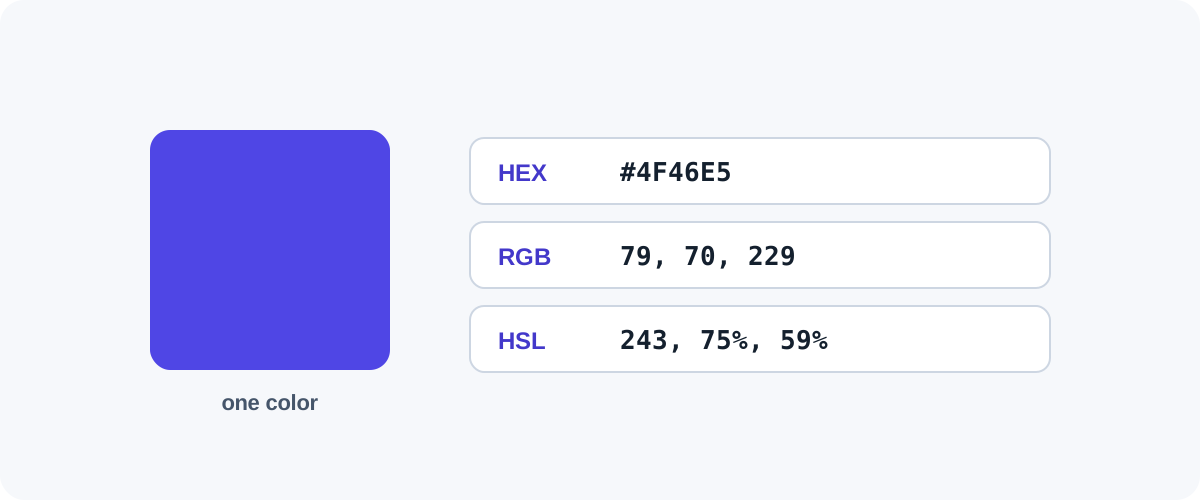
If you’ve ever copied a color like #4F46E5 and wondered what those characters mean — or why the same color shows up as rgb(79, 70, 229) somewhere else — this is for you. HEX, RGB, and HSL are three ways of writing the same colors. Once you see how they relate, picking and adjusting colors gets a lot easier.
They all describe the same thing
Screens make color by mixing red, green, and blue light. HEX and RGB state those three amounts directly; HSL describes the result a more human way. None is “better” — they’re notations for the same underlying color.
RGB — the foundation
RGB gives each channel a value from 0 to 255:
rgb(255, 0, 0)      → pure red
rgb(0, 255, 0)      → pure green
rgb(79, 70, 229)    → the indigo used on this site
More of a channel means more of that light. All three at 255 is white; all at 0 is black. It’s the most readable format when you want to nudge a single channel.
HEX — the same thing, compressed
A HEX code is RGB written in hexadecimal (base 16, digits 0–9 then A–F). It packs the three channels into six characters:
#4F46E5
  ┌─┬─┬─ E5  = blue  (229)
  │ └─── 46  = green (70)
  └───── 4F  = red   (79)
Each pair is one channel, 00 (0) to FF (255). So #4F46E5 and rgb(79, 70, 229) are identical. HEX is popular in code and design tools because it’s short and copy-pastes cleanly.
Shorthand HEX
When each channel’s two digits repeat, HEX can be shortened to three characters: #FFFFFF becomes #FFF, #FF0000 becomes #F00. It’s the same color, just abbreviated.
HSL — the human-friendly one
HSL describes a color as Hue, Saturation, Lightness:
hsl(243, 75%, 59%)
     │    │    └─ Lightness: 0% black → 100% white
     │    └────── Saturation: 0% grey → 100% vivid
     └─────────── Hue: 0–360° around the color wheel (0 red, 120 green, 240 blue)
HSL makes individual colour properties easy to adjust. Want a lighter version of a color? Raise the lightness. Want it more muted? Lower the saturation. You don’t have to guess at red/green/blue mixes — which is why HSL is useful for building palettes and UI themes.
Side by side
| Color | HEX | RGB | HSL |
|---|---|---|---|
| Red | #FF0000 |
rgb(255,0,0) |
hsl(0,100%,50%) |
| White | #FFFFFF |
rgb(255,255,255) |
hsl(0,0%,100%) |
| Indigo | #4F46E5 |
rgb(79,70,229) |
hsl(243,75%,59%) |
Adding transparency (alpha)
To make a color see-through, add an alpha value from 0 (transparent) to 1 (solid):
rgba(79, 70, 229, 0.5)     /* 50% transparent indigo */
hsla(243, 75%, 59%, 0.5)   /* same, in HSL */
#4F46E580                   /* 8-digit HEX: last pair is alpha */
Which should you use?
Quick guidance
- HEX — copying a fixed brand color, or pasting into code. Compact and unambiguous.
- RGB — when you need to read or tweak a specific channel, or work with transparency via
rgba. - HSL — when designing: building lighter/darker or more/less vivid variations of a color.
In practice, designers often pick in HSL (because adjusting feels natural), then ship in HEX (because it’s compact). Converting between them is just arithmetic — a good color converter does it instantly and shows all three notations at once, which is the fastest way to grab whichever your tool needs.
Frequently asked questions
What does a HEX color code like #4F46E5 actually mean?
It's red, green, and blue values written in hexadecimal. #4F46E5 breaks into 4F (red), 46 (green), and E5 (blue), each a two-digit hex number from 00 to FF (0–255 in decimal). So it's the same information as an RGB value, just written more compactly.
Is HEX the same as RGB?
Yes — they describe the identical color, just in different notation. #FF0000 and rgb(255, 0, 0) are both pure red. HEX is compact and common in code; RGB is easier to read and is what you adjust when you need a specific channel value.
When should I use HSL instead of HEX or RGB?
Use HSL when you want to adjust a color intuitively. Because it separates hue, saturation, and lightness, you can make a color lighter or more muted by changing one number, without guessing at red/green/blue mixes. It's excellent for building color variations and themes.
How do I add transparency to a color?
Add an alpha channel. In CSS that's rgba(79, 70, 229, 0.5) or hsla(243, 75%, 59%, 0.5), where the last value runs from 0 (invisible) to 1 (opaque). Modern HEX also supports an 8-digit form (#4F46E580) where the final two digits are the alpha.