How to Calculate Percentages (the Easy Way)
Every percentage calculation you actually need — percent of a number, percentage change, discounts, and reverse percentages — with worked examples and quick mental-math tricks.
Percentages show up constantly — discounts, tips, tax, interest, grades, statistics — and most of it comes down to a few simple patterns. Once you know them, you can do a lot in your head and reach for a calculator only when the numbers are awkward. Here are the calculations worth knowing, with worked examples.
1. A percentage of a number
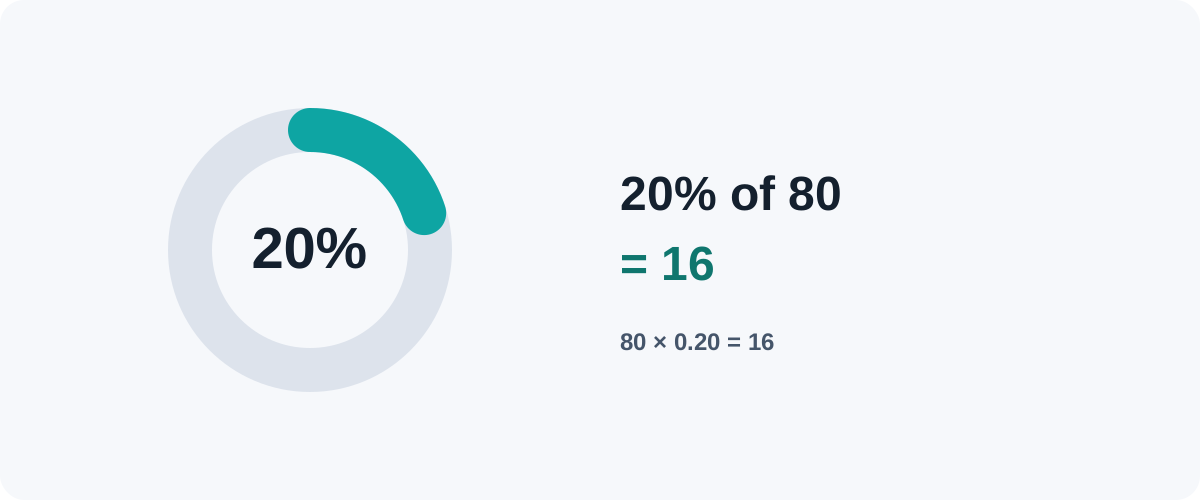
The everyday one: “What is 20% of 80?”
Result = number × (percent ÷ 100)
20% of 80 = 80 × 0.20 = 16
The 10% trick
10% of anything is just the number with the decimal point moved one place left: 10% of 80 = 8, 10% of 245 = 24.5. From there, scale: 20% is double (16), 5% is half (4), 30% is three times (24). Most mental percentage math is built on this.
There’s also a neat symmetry: x% of y equals y% of x. Stuck on 16% of 25? Flip it: 25% of 16 = 4. Same answer, easier sum.
2. What percentage is X of Y?
“15 out of 60 — what percent is that?”
Percent = (part ÷ whole) × 100
(15 ÷ 60) × 100 = 25%
This is the one for test scores, completion rates, and “what share is this?”
3. Percentage change (increase or decrease)
For comparing a before and after — prices, audience, weight:
Change % = ((new − old) ÷ old) × 100
From 50 to 60:  (60 − 50) ÷ 50 × 100 = 20% increase
From 80 to 60:  (60 − 80) ÷ 80 × 100 = −25% (a decrease)
A negative result is a decrease. Note the base is always the old value.
4. Discounts (percentage off)
“30% off 45.”
Saving   = 45 × 0.30 = 13.50
You pay  = 45 − 13.50 = 31.50
Faster: you’re paying 70% of the price, so 45 × 0.70 = 31.50 in one step.
5. Reverse percentages (find the original)
The tricky one. “After 25% off, it’s 60 — what was the original?” You can’t just add 25% back, because that 25% was of the larger original, not the smaller sale price.
Original = sale price ÷ (1 − discount)
60 ÷ (1 − 0.25) = 60 ÷ 0.75 = 80
Same logic for removing tax: if a price includes 20% tax, the pre-tax amount is total ÷ 1.20.
6. Adding tax or a tip
To add a percentage on top:
Total = amount × (1 + percent ÷ 100)
A 15% tip on 40 = 40 × 1.15 = 46
The “why don’t they cancel?” gotcha
Up and down aren't symmetric
A 50% decrease followed by a 50% increase does not return you to the start. 100 → −50% → 50 → +50% → 75. Each percentage is taken from a different base (the current value), so gains and losses of the same percentage never cancel. This matters a lot for investment returns and price swings.
Putting it together
| You want | Do this |
|---|---|
| Percent of a number | number × (percent ÷ 100) |
| X is what % of Y | (X ÷ Y) × 100 |
| Percentage change | ((new − old) ÷ old) × 100 |
| Price after % off | price × (1 − discount) |
| Original before % off | sale ÷ (1 − discount) |
| Add tax/tip | amount × (1 + percent ÷ 100) |
Learn the 10% trick for mental estimates and keep these six formulas handy for the rest. For anything with messy decimals, a percentage calculator does it instantly — but now you’ll know whether the answer it gives you makes sense.
Frequently asked questions
How do I find a percentage of a number?
Multiply the number by the percentage divided by 100. For 20% of 80, calculate 80 × 0.20 = 16. A quick shortcut: 10% of any number is just that number with the decimal moved one place left, so 10% of 80 is 8, and 20% is double that — 16.
How do I calculate percentage change?
Subtract the old value from the new value, divide by the old value, then multiply by 100. From 50 to 60 that's (60 − 50) ÷ 50 × 100 = 20% increase. A negative result means a decrease.
How do I work out the original price before a discount?
Divide the sale price by (1 minus the discount as a decimal). If something costs 60 after 25% off, the original was 60 ÷ 0.75 = 80. This "reverse percentage" trips people up because you can't just add the percentage back.
Why isn't a 50% drop then a 50% rise back to the start?
Because each percentage is taken from a different base. 100 minus 50% is 50; then 50 plus 50% is only 75, not 100. Percentage increases and decreases are calculated from the current value, so they don't cancel out.